Introduction
Cloud Cost Analyzer (CCA) finds waste in your AWS and Azure accounts and tells you exactly what to cut — every finding comes with the evidence behind it, an estimated monthly saving, and a remediation step. It's a single CLI binary you point at an account:
cca scan --provider aws
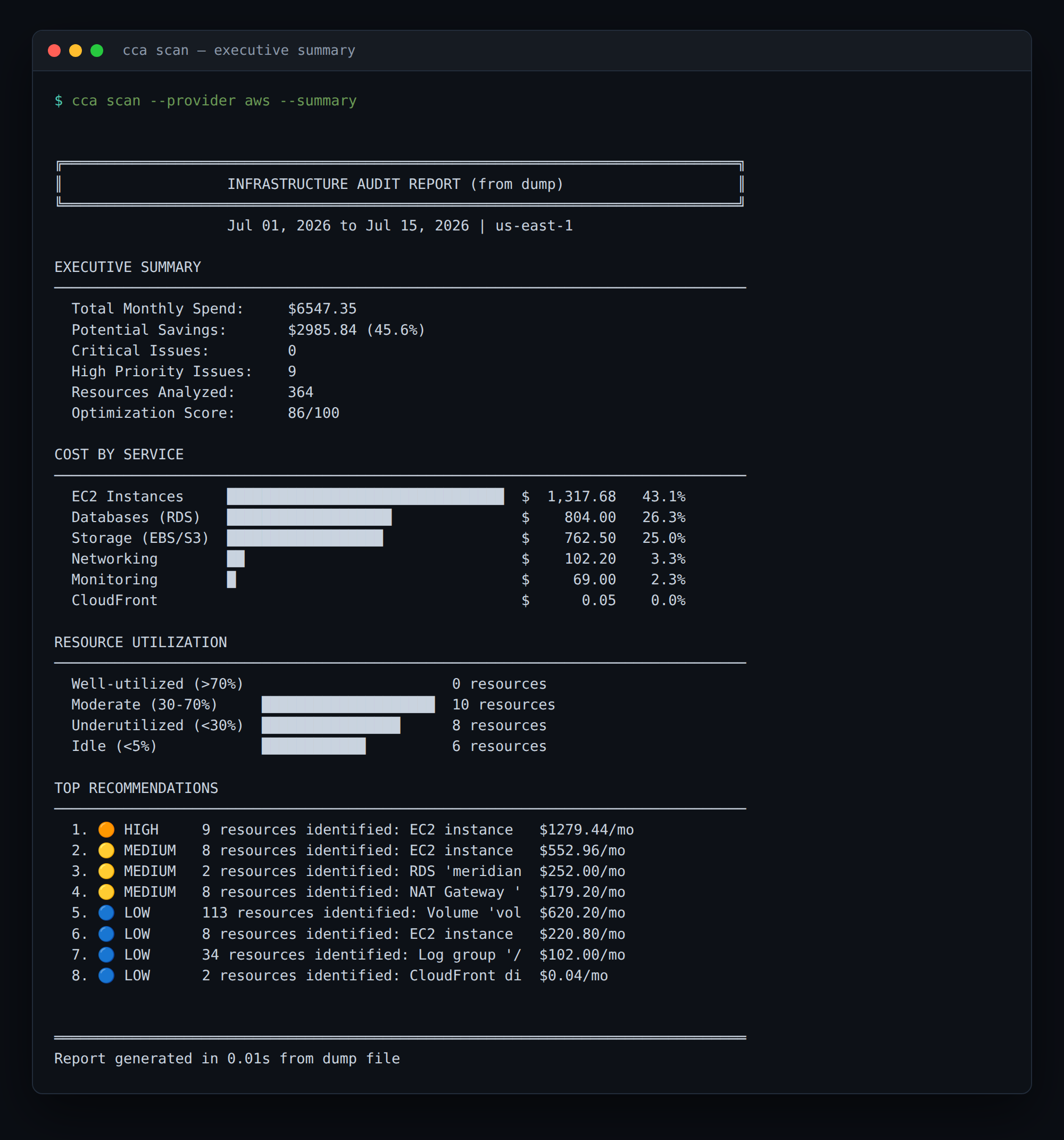
No agent to install, no data pipeline to stand up, no sales call. The free tier is self-serve and needs no credit card — you can get a real, shareable savings number for your own account in a few minutes.
Why developers use it
- CLI-first. One static binary. Runs on your laptop or in CI. Machine-readable output (
--output json|yaml|markdown|csv) pipes cleanly, and a non-zero exit code lets you fail a pipeline on regressions. - Read-only and least-privilege. CCA uses the standard AWS credential chain (env vars,
AWS_PROFILE, or an IAM role) and never needs write access.cca setupgenerates a read-only IAM role for you, andcca doctorverifies credentials and permissions before a scan runs. For the full security posture (data handling, encryption, air-gapped mode), see the Security page. - Your data stays yours. Local mode scans and reports fully offline — scan data never leaves your environment (Enterprise / air-gapped). Syncing results to the shared dashboard (managed mode) is opt-in, not the default.
- A full library of optimization rules across compute, storage, databases, networking, and serverless — rightsizing, idle detection, previous-generation and Graviton migrations, Reserved Instance / Savings Plan coverage, orphaned volumes and snapshots, and more.
- Fits your workflow. First-class GitHub Actions, GitLab CI, and Jenkins integrations, or wire it into any pipeline with the JSON output.
How it works
- Scan — CCA reads resource configuration and CloudWatch metrics through the read-only role.
- Analyze — each resource is evaluated against the rule engine.
- Report — findings come back with evidence, an estimated monthly saving, and a fix. Export as table, JSON, YAML, Markdown, or PDF.
- Track (optional) — sync to the dashboard to watch savings and your optimization score over time across the team.
Supported providers
| Provider | Status | Resources |
|---|---|---|
| AWS | ✅ Full Support | EC2, RDS, S3, EBS, Lambda, ELB, ElastiCache, NAT, ECS/EKS, and more |
| Azure | ✅ Supported | VMs (rightsizing, RI, Hybrid Benefit); Storage, Disks, SQL discovered |
| GCP | 🚧 Coming Soon | - |
Plans at a glance
- Free — all built-in rules (full savings total), up to 5,000 resources per scan, self-serve, no credit card.
- Pro ($29/mo) — full per-finding detail (resource IDs + fixes), higher limits, team seats, and PDF / CSV export.
- Enterprise — longer history, role-based access, and air-gapped / self-hosted deployment. Talk to the founder.
Get started
Head to the Quickstart to scan your first account in under five minutes, or jump straight to the CLI reference.